
To significantly improve availability, up-to-dateness and expandability. At the same time, we want to ensure that users receive the best possible support when operating these devices. The real challenge here is to ensure connectivity in which the technical connection of the devices functions both securely and reliably. In this blog post, we explore the various connectivity options for MedTech devices and show how we can meet these demanding modern requirements.
Connection options for MedTech devices
The ways in which MedTech devices can be integrated into the network vary depending on the hardware configuration and device type. In general, we distinguish between three categories:
- Compact and medium-sized devices running a proprietary operating system
- Devices that work with a widely used operating system such as Microsoft Windows ©.
- Devices that enable connection via an app thanks to an integrated interface.
1. connection of compact and medium-sized MedTech devices with proprietary operating system
The connectivity of devices with proprietary operating systems is largely determined by their hardware-software architecture. This architecture usually supports a push or pull mechanism for the exchange of data and commands. Devices with special operating systems often have customized software that enables targeted control and the exchange of data. The use of Windows or other standardized operating systems is often ruled out for reasons of hardware performance.
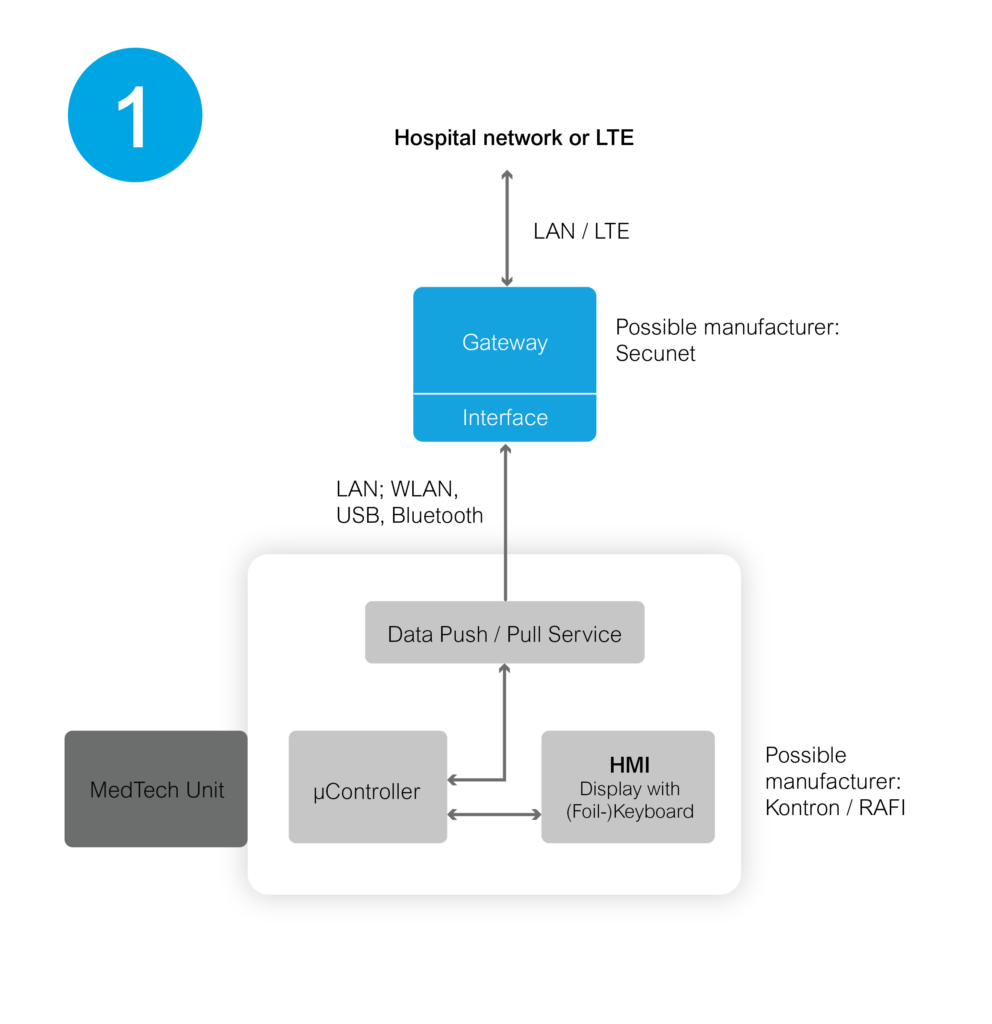
In this context, the use of special security solutions offers a strategic opportunity to increase security standards and securely protect sensitive information from threats. (e.g. Security Gateway from our partner SecuNet).
2. integration of MedTech devices with standard operating systems
In contrast to devices with customized operating systems, devices with common operating systems such as Microsoft Windows, Linux etc. are connected differently. The connection is established here by installing a special software agent that is specially designed for the respective known operating system. This agent enables communication via existing network access via LAN or WLAN.
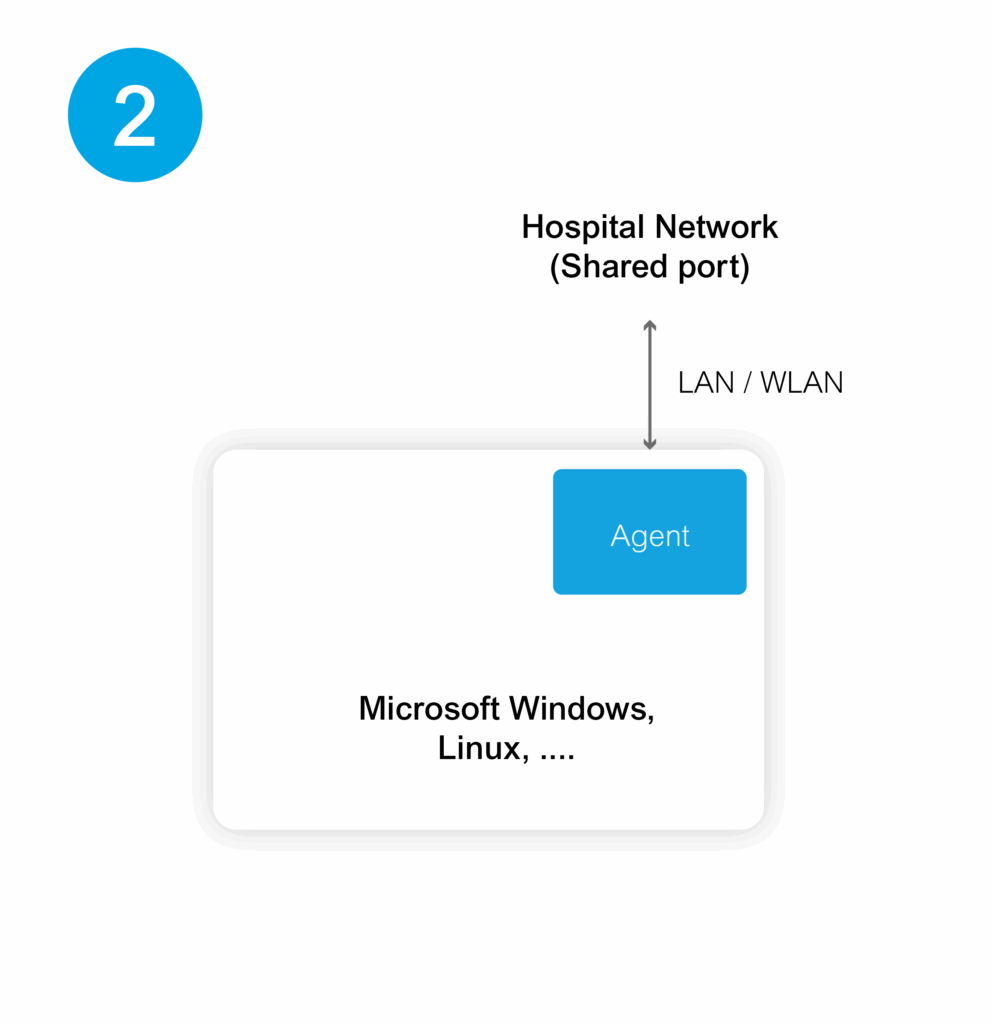
The key to successful networking lies in the customized provision and fine-tuning of this agent, which is developed and adapted according to requirements. Such customizations are essential to ensure that data flow and command transmissions between the devices and the network function smoothly.
3. networking via mobile applications
In the third networking variant, MedTech devices communicate via apps on smartphones or tablets - connected via Bluetooth, WLAN or temporary USB connections. Two main approaches are emerging here:
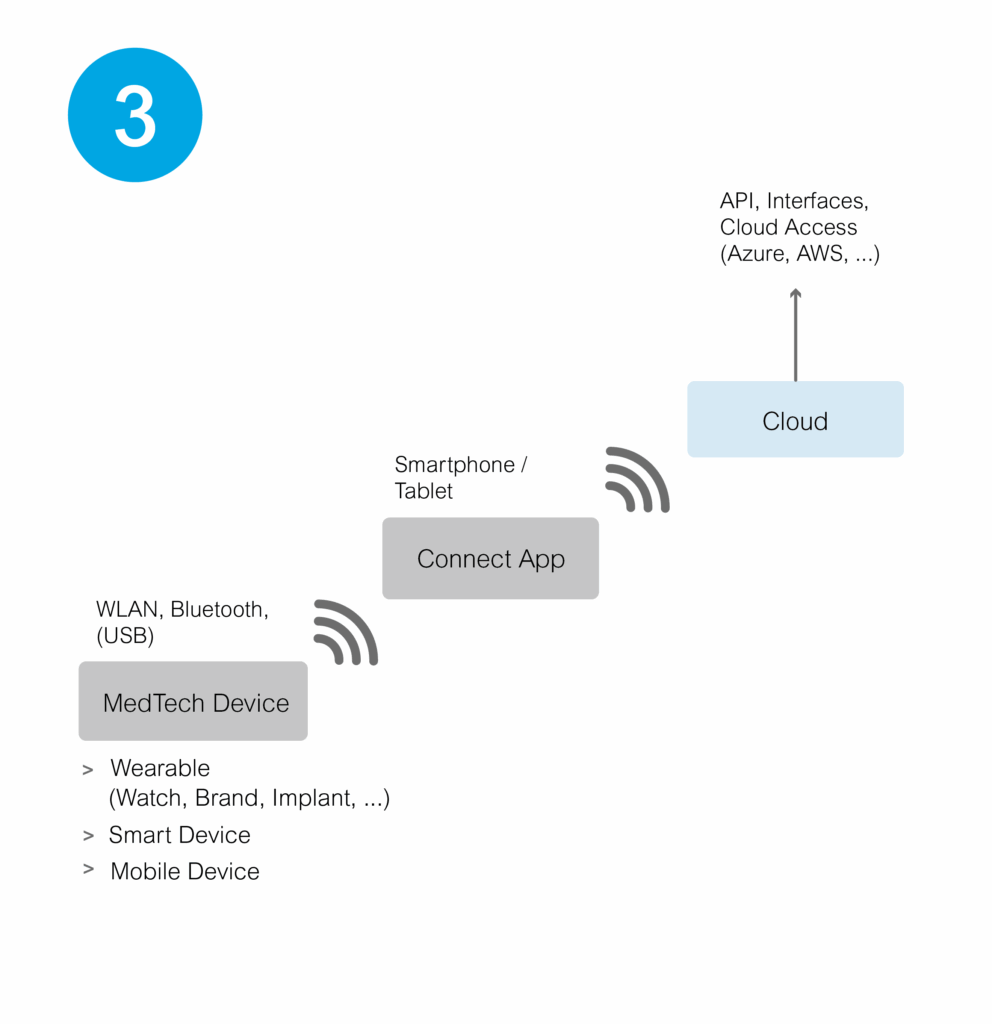
- In the first approach, the devices transmit data directly to the app, which then forwards the information to the cloud. For users, this means that they need access to the cloud in order to retrieve the desired data or to use and integrate special services. One example of this is the integration of data into the Apple Health app for wearables (e.g. Withings).
- A second option is to develop a special app that connects directly to the device and transfers data to a defined cloud infrastructure. MedTech device manufacturers use this to transfer information for further processing in networks via temporary data connections. In some use cases, we use the "Business File Manager" from doubleSlash to handle this data transfer. The clear advantage of this option is the flexibility to adapt the app to the specific needs of the devices, the network or certain requirements.
The path to seamless networking in the MedTech industry
In summary, the connection of a MedTech device always requires a thorough analysis and careful concept development. Existing product lines in particular can present a challenge. Nevertheless, in almost all cases it is possible to find an economically viable, beneficial and secure solution. When developing new products, it is crucial to consider connectivity from the outset.
If you want to network an existing device series or are planning a new development with a data connection, don't hesitate to contact us. We will support you in successfully bringing your devices "online".