Therefore, users tend to use simple passwords or use the same password for different services [8]. According to a study by the Hasso Plattner Institute (HPI), the most popular password in 2021 was "123456" [1]. However, even complex passwords together with multi-factor authentication, for example via SMS, do not provide protection if they are compromised by so-called man-in-the-middle attacks, Social engineering- or Phishing-attacks can be intercepted [2].
Do passwords still offer sufficient protection?
If the FastIDentityOnline (FIDO)-alliance, we will soon be able to forget our passwords completely [3]. In addition to Google, Apple and Microsoft, the alliance includes other technology companies as well as the German Federal Office for Information Security (BSI). With its specially developed open standard FIDO2 passwords are to be replaced by digital security keys, the so-called Passkeyscan be replaced. Asymmetric encryption, also known as public key cryptography, serves as the basis. A separate key pair, consisting of a private key (passkey) and a public key, is generated for each service you want to log in to.
How passwordless login via Passkeys works
The registration process:
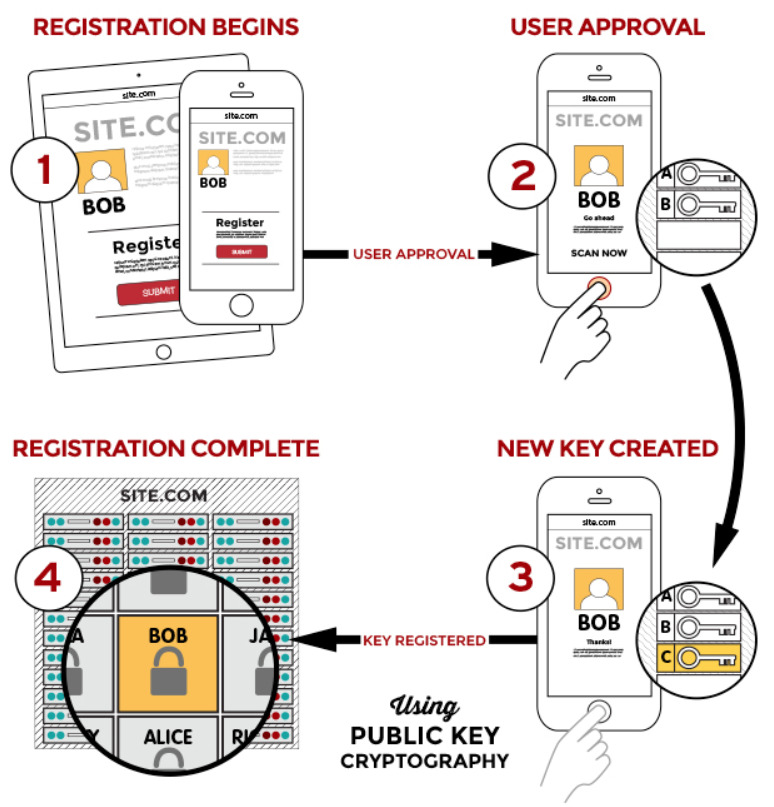
- Initial logon process to a service is started.
- The login device to be registered must first be unlocked by entering a code, number pattern, fingerprint, face scan or by voice input, etc.
- The device then generates a key pair: the private key (passkey) is stored on the device itself. The storage is read-proof on a hardware chip, a so-called Trusted Platform Module (TPM) [4].
- The public key is linked to the user account and stored on the service's server [4].
It is important to note that neither the private key nor the code or biometric data required to unlock the device leave the device. So that you can use the passkey you have just generated to log in on all your devices, it should be possible to store them in the cloud. Both Apple and Google have stated that the cloud synchronization of passkeys is encrypted end-to-end to prevent third parties from accessing this sensitive data [6].
The registration process:
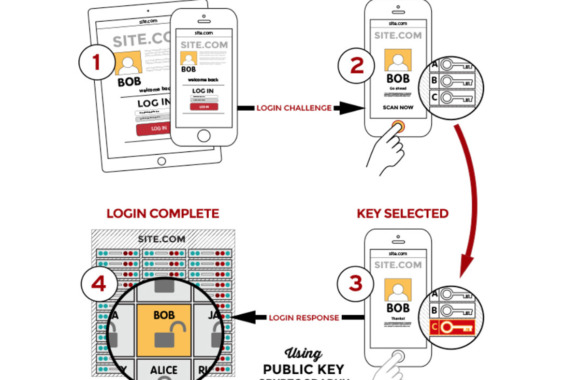
- If a login to a service is pending, this sends a so-called challenge to the registered device.
- The registered device must be unlocked using the same method that was previously used for registration (biometrics, codes, etc.).
- The appropriate passkey for the service is selected on the device, the challenge is signed with it and sent back to the service.
- The signed challenge is checked with the public key stored with the service and the user is logged in.
The major advantage of logging in via passkeys is protection against the dreaded password leaks or phishing attacks. Even if the public key is intercepted, for example via a fake website, it would be worthless without the corresponding private key [3]. It is only possible to log in if the passkey and the public key match.
Current status
With the update to Apple's iOS 16, passkeys are already being used for logins [4]. "Passkeys are synchronized with all of the user's Apple devices via the iCloud keychain." [7] Cross-platform login should also be possible without any problems. "In this case, a Windows or Android device would display a QR code that is photographed with the iPhone or iPad. When Face ID or Touch ID is matched, the iPhone confirms to the server that the login request is legitimate." [7] Even if all registered Apple devices are lost, the passkeys can be restored via the iCloud [7].
As you can see, Apple is currently forging ahead with passwordless login. It will be interesting to see when Google and Microsoft follow suit, so that we may be able to "forget" our passwords in the near future.
Sources
[1] https://hpi.de/pressemitteilungen/2021/die-beliebtesten-deutschen-passwoerter-2021.html
[5] https://fidoalliance.org/how-fido-works/