
Function
In principle, it is very simple: it offers you some information via an infotable. The not ThingWorx-Developers can imagine an infotable as a list that can contain 0-n entries. The widget solves the problem in the MashupBuilder (graphical low-code development environment for ThingWorx frontends) to find out how many entries the list has.
Why?
Various actions can be carried out in the front end based on this information. For example:
- Display a text such as "The search did not return any hits" if the list is empty after a search
- (De)activate buttons if the user is to select elements from a list and has not yet done so
- Display a simple counter of the number of elements
- …
Without the widget, it is not so easy to find out exactly this information in the MashupBuilder. Either the backend has to provide this information, or the number has to be determined using expressions (small JavaScript functions that come with something overhead). As these are not efficient methods, we have developed the widget.
Demo
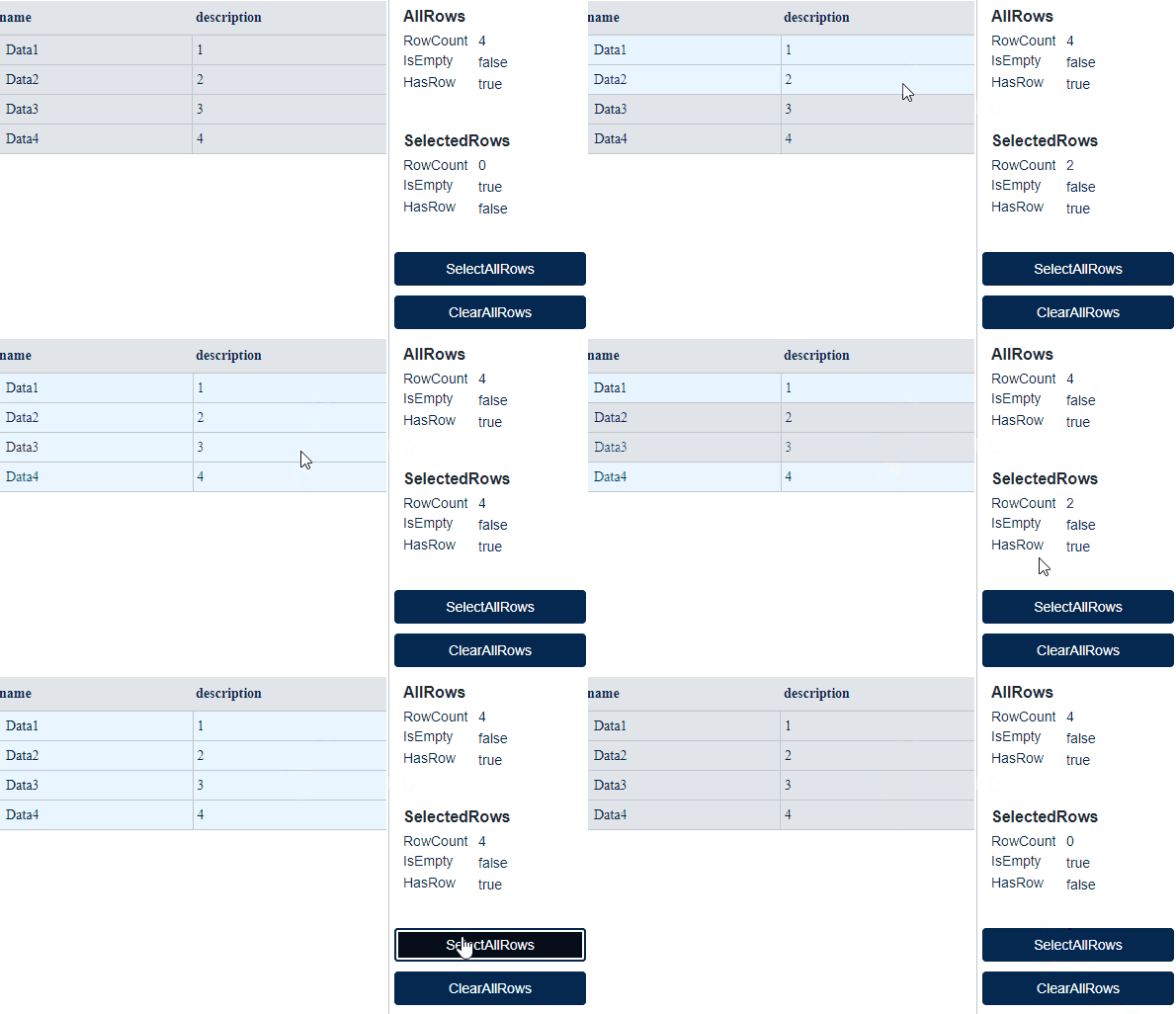
Here is an example of how the widget works: On the left a table showing the entries of an infotable, on the right the information determined by the widget:
|
|---|
Configuration
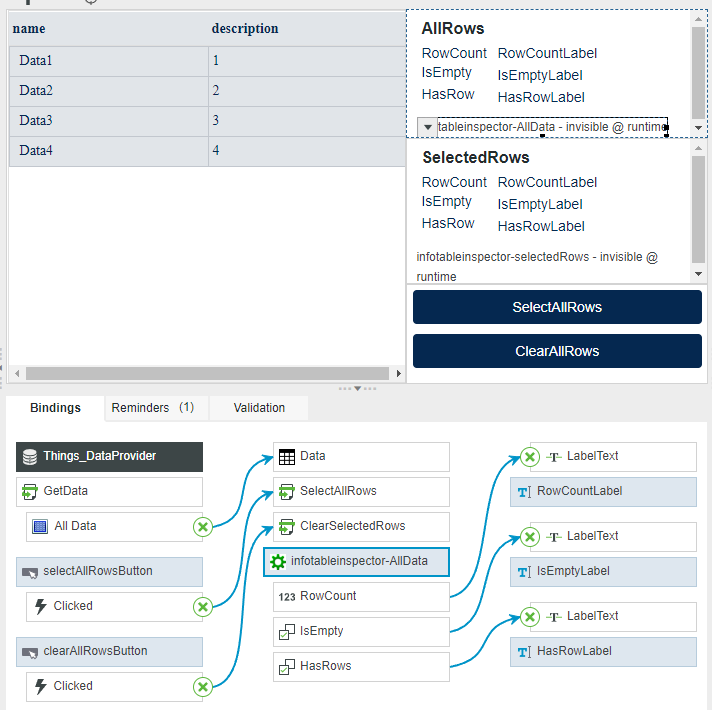
A screenshot of the MashupBuilder showing the bindings of the widget:
|
|---|
The demo was created with two InfotableInspector widgets:
- (AllRows) Displays the raw data
- (SelectedRows) Displays the number of selected data
The input is "Data" or an infotable. The widget offers some properties that are bound to labels to display their value. The widget also offers the two auxiliary services "SelectAllData" and "ClearSelectedRows".
Download
We have been using this widget for many years and just last year we made it open source on github: github InfotableInspectorWidgetTWX
You can download the widget as a .zip (ThingWorx Extension) under Releases and import it into the ThingWorx Platform as an extension. Now you can use the InfotableInspectorWidget in the MashupBuilder.