
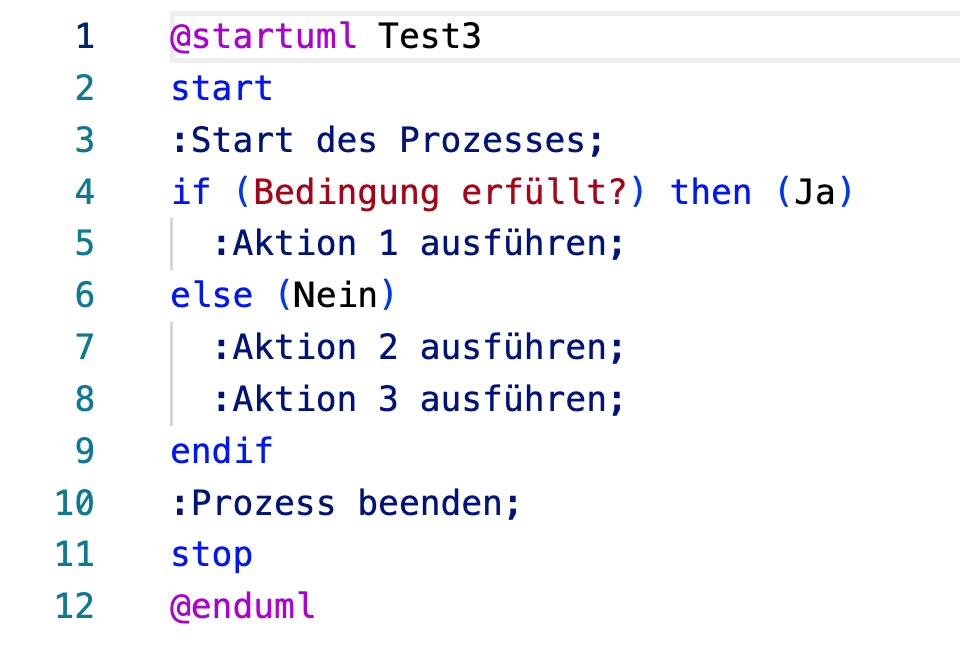
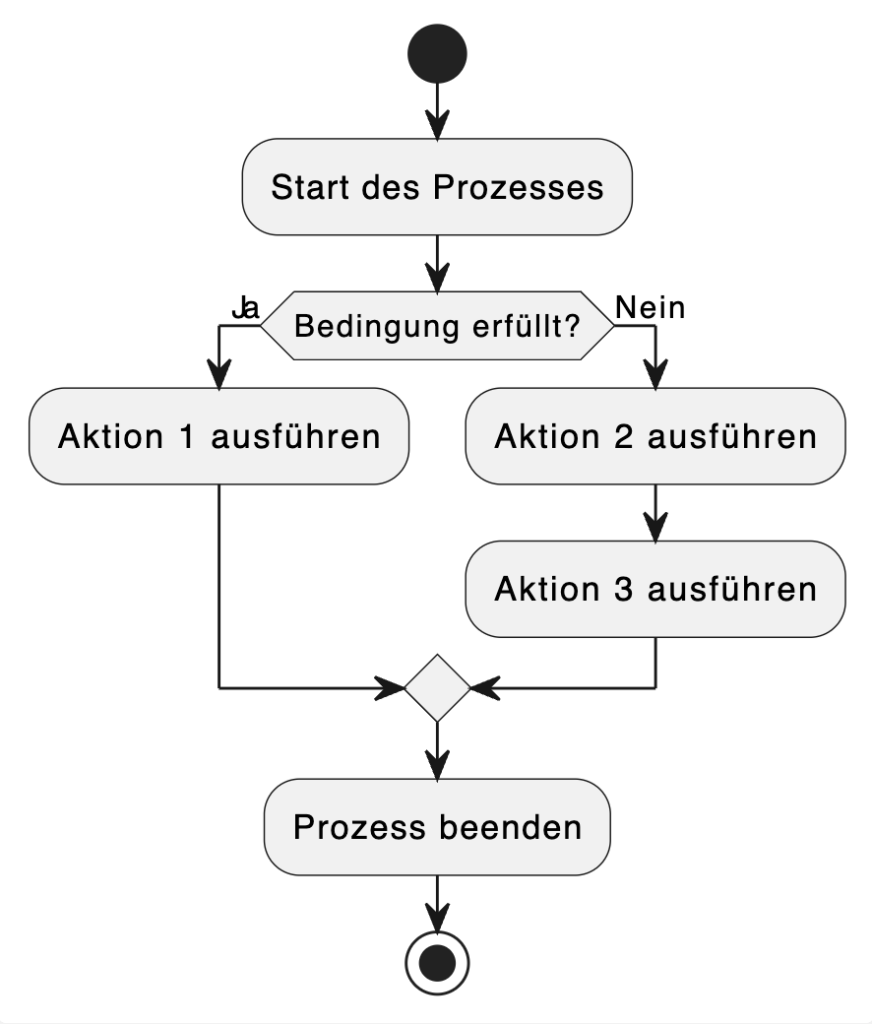
There are already various tools and GitHub projects that convert PlantUML into a Draw.io diagram. However, these usually only generate an SVG that is then embedded in Draw.io. I have not found a real element-by-element conversion. After hours of searching, it was clear that there is simply no converter that works the way I need it to.
From problem to idea
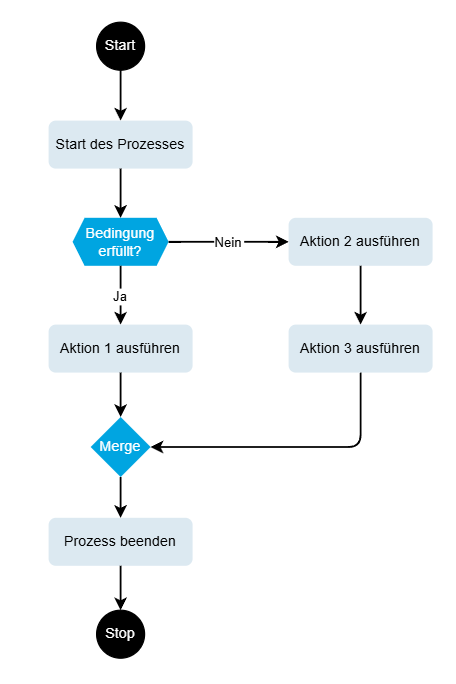
At some point I thought: "It can't be that difficult." But who has time to build a diagram converter on top of their main job? That's when I had the idea: why not ask Cursor.ai? I explained to the AI what I needed - an app that reads PlantUML activity diagrams and saves them as Draw.io-XML. My expectations were low, but what happened next really surprised me.
Cooperation with Cursor.ai
The collaboration was really cool. I threw requirements into the chat, and Cursor.ai delivered code. I tested, gave feedback, and the AI improved the code step by step. That's roughly how it went:
Me: "Can you build a parser for PlantUML activity diagrams?"
Cursor.ai: "Sure, here's the first version..."
The first version was already a simple Python script that parsed PlantUML and output Draw.io-XML. But why stop at the command line?
Me: "How about a GUI?"
Cursor.ai: "CustomTkinter would be great - looks more modern than standard Tkinter..."
After a few iterations, we had a proper desktop app with a slick interface, syntax highlighting and even real-time validation of the PlantUML code. Best of all, I didn't have to fix a single bug - I just said what wasn't working and Cursor.ai delivered the fix.
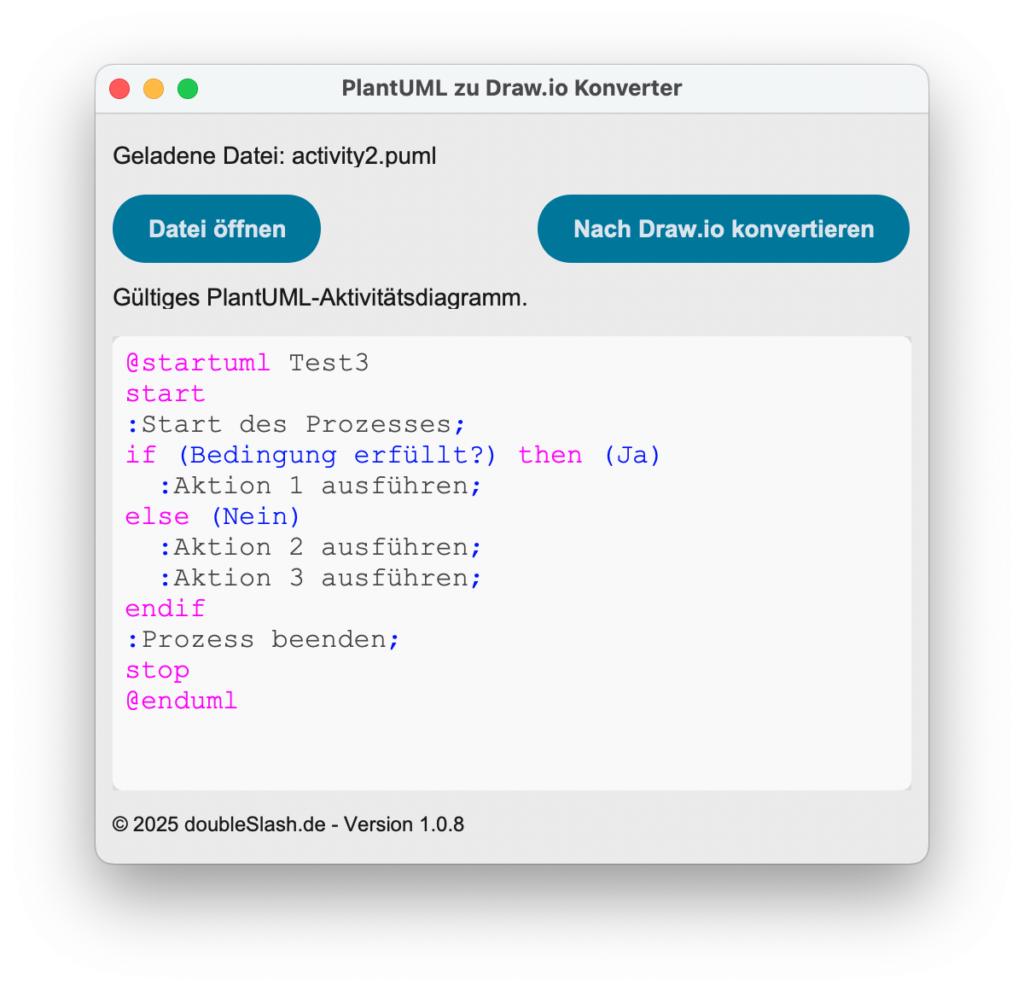
Screenshot of the application
Below you can see a screenshot of the application on Windows. On the left you select a PlantUML file, on the right you can convert it into a Draw.io file by clicking on it:
The PyInstaller nightmare
Then came the usual Python thriller: packaging the app as a standalone installation package for Windows and Mac. With PyInstaller it was supposed to be easy - but of course nothing went as planned.
"Windows cannot find the CustomTkinter module", I reported.
What followed was the classic PyInstaller fiasco: The app started briefly and then disappeared - without an error message.
Cursor.ai remained cool and proceeded systematically:
- First, a logging system was installed in order to see any error messages at all.
- Then the AI adapted the spec file so that CustomTkinter is correctly integrated.
- Finally, special configurations were created for Windows and macOS.
After a few failed attempts, we finally had working packages for both systems. The app started, showed a nice UI and converted the diagrams flawlessly - regardless of whether on Windows or Mac.
What I have learned
This experience has shown me:
- AI can now take on really complex development tasks - not just add a few snippets of code.
- The collaboration between humans and AI is super efficient: I define the problem and test it, the AI delivers the code.
- Sometimes, however, the AI gets caught up in the complexity of an algorithm - then it helps to specifically ask it to optimize the entire code so that it can rethink the problem and finally find a solution.
- Even tricky problems such as cross-platform builds can be solved with AI if you give it the right information.
The final result
Now I have exactly the tool I need:
- A converter that converts PlantUML activity diagrams into Draw.io format.
- A modern user interface with syntax highlighting.
- A stand-alone app for Windows and Mac that I can distribute to my colleagues.
- Cross-platform support so that everyone in the team can work with it without any problems.
Of course, the tool still has its limits: So far, it only supports activity diagrams. Other UML diagram types such as class or sequence diagrams are still on the wish list. The automatic layout in Draw.io also still has room for improvement - complex nesting or very long descriptions sometimes lead to imperfect arrangements that still need to be improved in Draw.io.
Outlook
There are already plans for the future:
- Support for additional diagram types
- More intelligent layout algorithms
- Maybe even a web version
The best thing: thanks to Cursor.ai, I don't have to wait years for new features or delve deep into the code. Do you have an idea for a tool but can't find the time? Try an AI like cursor.ai - it's quicker than you think.
It was a really cool experience for me, and the result solves a real problem. Win-win!
Try out the code
Want to try out the converter yourself? Take a look at the complete source code on GitHub:
Feedback and issues are very welcome!