
Liferay themes can now also be created with the familiar tools for front-end developers. The community has created a npm package which can now create themes from version 6.2. In addition Gulp and Yeoman be installed.
Create theme structure with Yeoman
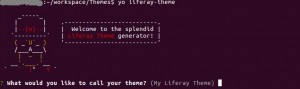
All required information is queried via Yeoman. (Version, template language, freemarker, velocity, autodeploy folder, etc.)
Build and installation via Gulp
Once the theme standard structure has been successfully created, the theme can be deployed to the configured Liferay server via Gulp.
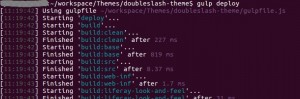
The latter is particularly interesting for a defined staging process for the individual environments (development, test, integration, production), as the staging in the generated liferay-them.json can be adapted depending on the environment.
Conclusion
The best thing about creating a theme via Gulp, Yeoman and NodeJs is the build speed. This is significantly faster than the conventional build process using Maven or Ant. Every front-end developer can work with the tools they are familiar with. Other well-known front-end tools, such as bower, can be integrated in the usual ways. Additional preprocessors, such as SASS can also be integrated into the gulp build process.